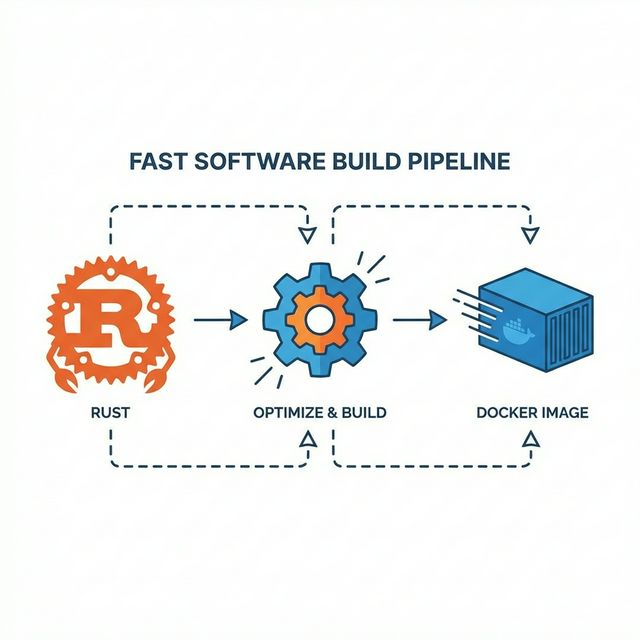
Rust does not need Docker to compile your app.
That sounds obvious until you look at how many teams still use Docker as a slow, isolated Rust build machine, then act surprised when every publish takes 15 minutes.
We were doing it too. A traditional multi-stage Docker build. Clean on paper. Miserable in practice.
Switching to cargo-zigbuild moved compilation back to the host, kept Docker for packaging, and cut our build times by 5-10x.
Docker Was Doing the Wrong Job
The standard Rust Dockerfile usually looks like this:
# Stage 1: Builder
FROM rust:1.83-alpine AS builder
RUN apk add --no-cache musl-dev openssl-dev
WORKDIR /app
COPY . .
RUN cargo build --release

# Stage 2: Runtime
FROM alpine:3.20
COPY --from=builder /app/target/release/myapp /app/myapp
ENTRYPOINT ["/app/myapp"]
It looks clean. That is the trap.
Inside that build, Cargo loses the cache that makes Rust development tolerable. The useful bits live in ~/.cargo and target/. Put the build inside Docker and you are back to downloading crates, compiling dependencies, and linking again.
For a real project, that is 15-20 minutes.
We were building AuthOS, a multi-tenant authentication platform, with three database backend variants: SQLite, PostgreSQL, and MySQL. Three variants meant three builds.
That is 45-60 minutes to publish a version.
Unacceptable.
Compile on the Host. Package in Docker.
The fix is simple:
- Cross-compile the binary on your host machine using
cargo-zigbuild - Copy the pre-built binary into a minimal Docker image
- Push to registry
Docker is excellent at packaging and shipping. Compilation can happen somewhere else.
This approach keeps local Cargo cache and incremental builds where they belong, then uses Docker for the final copy-and-push step.
Why Zigbuild?
cargo-zigbuild
is a drop-in replacement for cargo build that uses Zig as the linker.
Zig matters here because it removes the usual cross-compilation nonsense:
- Reliable cross-compilation: Zig bundles a complete C toolchain that can target musl libc without extra setup
- Static linking made easy: Produces fully static binaries that run on any Linux distro
- No Docker-in-Docker complexity: No need for buildx, multi-platform manifests, or QEMU emulation
The Architecture
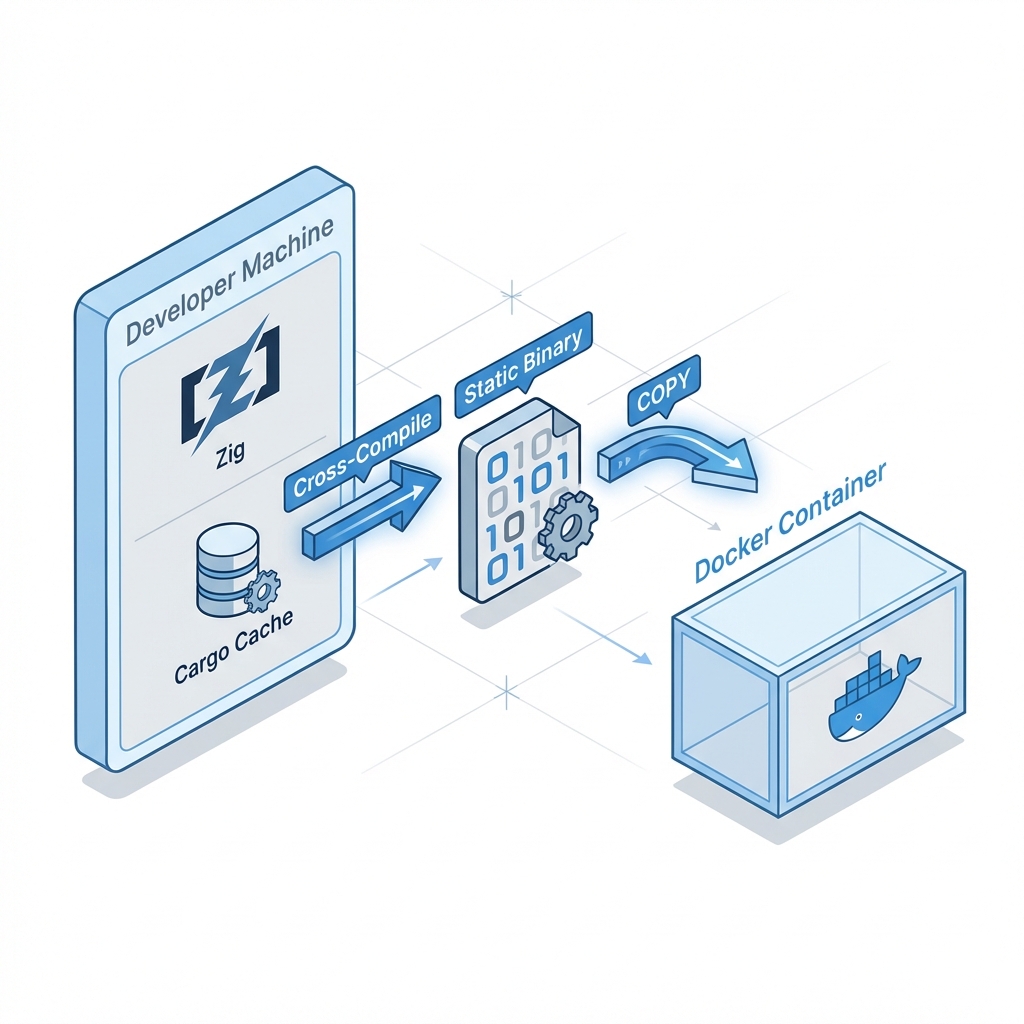 Fig 1: We moved the compilation step out of Docker and onto the host, using Zig to link static binaries.
The Implementation Is Boring
Prerequisites
# macOS
brew install zig upx
cargo install cargo-zigbuild
rustup target add x86_64-unknown-linux-musl

# Linux (Ubuntu/Debian)
sudo apt install -y upx
cargo install cargo-zigbuild
rustup target add x86_64-unknown-linux-musl
The Minimal Dockerfile
The Dockerfile becomes almost embarrassing:
# Minimal runtime image for pre-built binaries
FROM --platform=linux/amd64 alpine:3.20

ARG BINARY_NAME=sso_sqlite

# Runtime dependencies only
RUN apk add --no-cache libgcc ca-certificates

WORKDIR /app

# Copy the pre-built binary
COPY target/dist/${BINARY_NAME} /app/sso
COPY docker-entrypoint.sh /app/docker-entrypoint.sh

RUN chmod +x /app/sso /app/docker-entrypoint.sh

EXPOSE 80
ENTRYPOINT ["/app/docker-entrypoint.sh"]
No multi-stage build. No Cargo. No compiler. Just a binary copied into a runtime image.
The Build Script
We wrapped the workflow in a Node.js script (docker-publish.js) that:
- Checks prerequisites (zig, cargo-zigbuild, musl target)
- Cross-compiles using
cargo zigbuild --release --target x86_64-unknown-linux-musl - Strips symbols using
strip(reduces ~20% size) - Compresses with UPX using
upx --best --lzma(reduces another ~60%) - Builds the Docker image (just copying the binary)
- Pushes to Docker Hub with proper tags
// Core build logic (simplified)
async function buildBackend(backend, imageName, version) {
    // Step 1: Cross-compile
    exec(`cargo zigbuild --release --locked --target=${TARGET} --features=db_${backend}`);

    // Step 2: Copy and strip
    fs.copyFileSync(`target/${TARGET}/release/sso_${backend}`, `target/dist/sso_${backend}`);
    exec(`strip target/dist/sso_${backend}`);

    // Step 3: Compress
    exec(`upx --best --lzma target/dist/sso_${backend}`);

    // Step 4: Build Docker image
    exec(`docker build -f Dockerfile --build-arg BINARY_NAME=sso_${backend} -t ${imageName}:${backend}-${version} .`);

    // Step 5: Push
    exec(`docker push ${imageName}:${backend}-${version}`);
}
The Numbers Changed the Argument
| Metric | Multi-Stage Build | Zigbuild Approach |
|---|---|---|
| Cold Build Time | ~18 minutes | ~4 minutes |
| Warm Build Time | ~15 minutes | ~90 seconds |
| Image Size | ~29 MB | ~11 MB |
| Cache Reuse | None (each build isolated) | Full local cargo cache |
| CI/CD Friendly | Requires volume mounts for cache | Just works™ |
The warm build is the real win. Local Cargo cache means only changed crates get recompiled. A normal code change builds in under 2 minutes instead of 15+.
For the three-backend publish flow, that turns an hour-long chore into something you can run without planning your afternoon around it.
The Gotchas Are Manageable
This is not magic. It has edges. They are manageable.
1. OpenSSL and Vendored Dependencies
Problem: Some crates, like openssl-sys, try to link against system OpenSSL. That library is not where the cross-compile expects it to be.
Solution: Use vendored or bundled variants. For us, that meant enabling the vendored feature on dependencies that required system libraries:
# Cargo.toml
[dependencies]
openssl = { version = "0.10", features = ["vendored"] }
2. UPX Compression Can Fail Silently
Problem: UPX sometimes fails on certain binaries or when the binary is too large, but the script would continue anyway.
Solution: Make UPX optional and non-blocking. The script warns if UPX fails and keeps going:
try {
    exec(`upx --best --lzma ${binaryPath}`);
} catch (e) {
    console.log(`⚠️ UPX compression failed (is upx installed?). Continuing uncompressed.`);
}
If you’re on macOS and UPX isn’t installed, just brew install upx. The build works without it, just with a larger binary.
3. Docker Context Size
Problem: Running docker build . in a Rust project can copy the entire target/ directory into the build context. That can mean gigabytes of junk before Docker even starts doing useful work.
Solution: Use a strict .dockerignore:
target/
!target/dist/
.git
node_modules
*.md
Only target/dist/, where the stripped binary lives, is allowed into the context.
4. Build Parallelization Conflicts
Problem: We tried building all three backends (SQLite, PostgreSQL, MySQL) in parallel, but cargo lock files conflicted.
Solution: Let Cargo serialize naturally. The compilation step blocks on Cargo’s internal lock, so parallel builds serialize at compile time and still parallelize at the Docker and push steps.
5. Feature Flag Isolation
Problem: Our codebase uses Cargo feature flags extensively (db_sqlite, db_psql, db_mysql). Cross-compiling one backend would sometimes pick up cached artifacts from another.
Solution: Use --no-default-features and explicitly enable only the target feature:
cargo zigbuild --release --no-default-features --features=db_sqlite
Kitchen Is Just the Control Room
We wrapped the workflow in a web-based dashboard called Kitchen. It provides:
- One-click builds with backend selection (SQLite, PostgreSQL, MySQL)
- Real-time log streaming via Server-Sent Events
- Build history persisted in SQLite
- Process management (kill running builds)
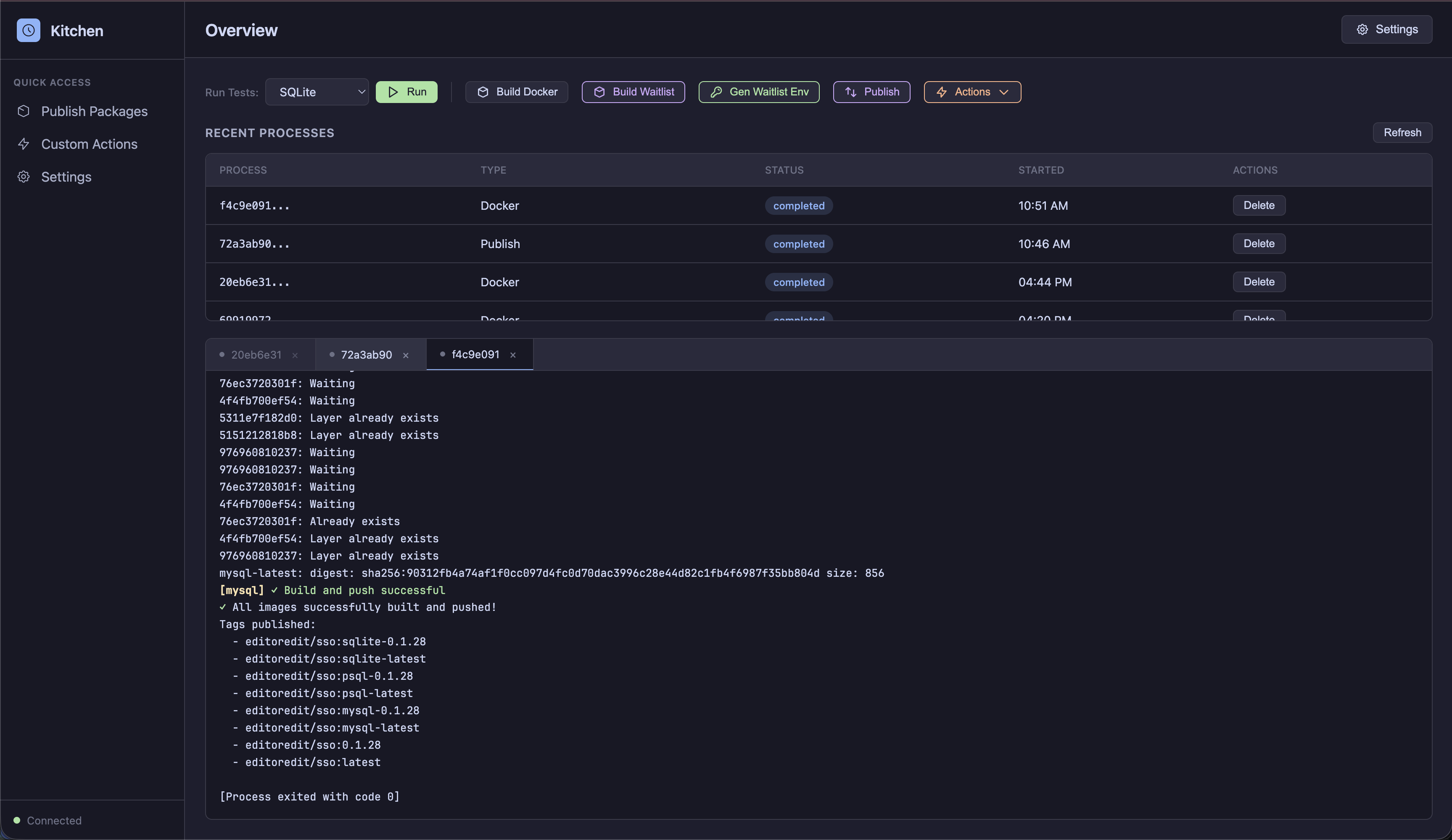
Kitchen detects Docker Hub credentials, infers version bumps, and handles the publish workflow. The dashboard matters less than the changed economics: publishing became cheap enough to turn into a button.
When This Is the Wrong Trade
This workflow is optimized for local development and single-machine CI. If you’re running builds in ephemeral CI containers (like GitHub Actions without caching), you won’t benefit from the local cargo cache.
For ephemeral CI, consider:
- Cargo cache actions: Use
actions/cacheto persist~/.cargoandtarget/between runs - sccache: A shared compilation cache that works across machines
- Pre-built base images: Create a builder image with dependencies pre-compiled
Stop Paying Docker to Forget Your Cache
The old workflow made Docker do compilation and made Cargo forget the cache. That was the whole disease.
cargo-zigbuild fixed the boundary. Rust builds on the host. Docker packages the artifact. The result:
- Native cross-compilation (leverages local cache)
- Minimal Docker images (just runtime deps)
- UPX compression (smaller images, faster pulls)
- Orchestration tooling (Kitchen dashboard)
That turned a 45-minute multi-backend publish process into a 5-minute operation.
If your Rust Docker build is slow because Docker keeps compiling the world from scratch, stop asking Docker to compile the world.
Resources: