
Caching Service Tokens with a Gravitee Loopback API
How I worked with Gravitee's response-cache constraint by putting the token endpoint behind a small internal API.
On this page
The gateway would not act as the token store I had in mind.
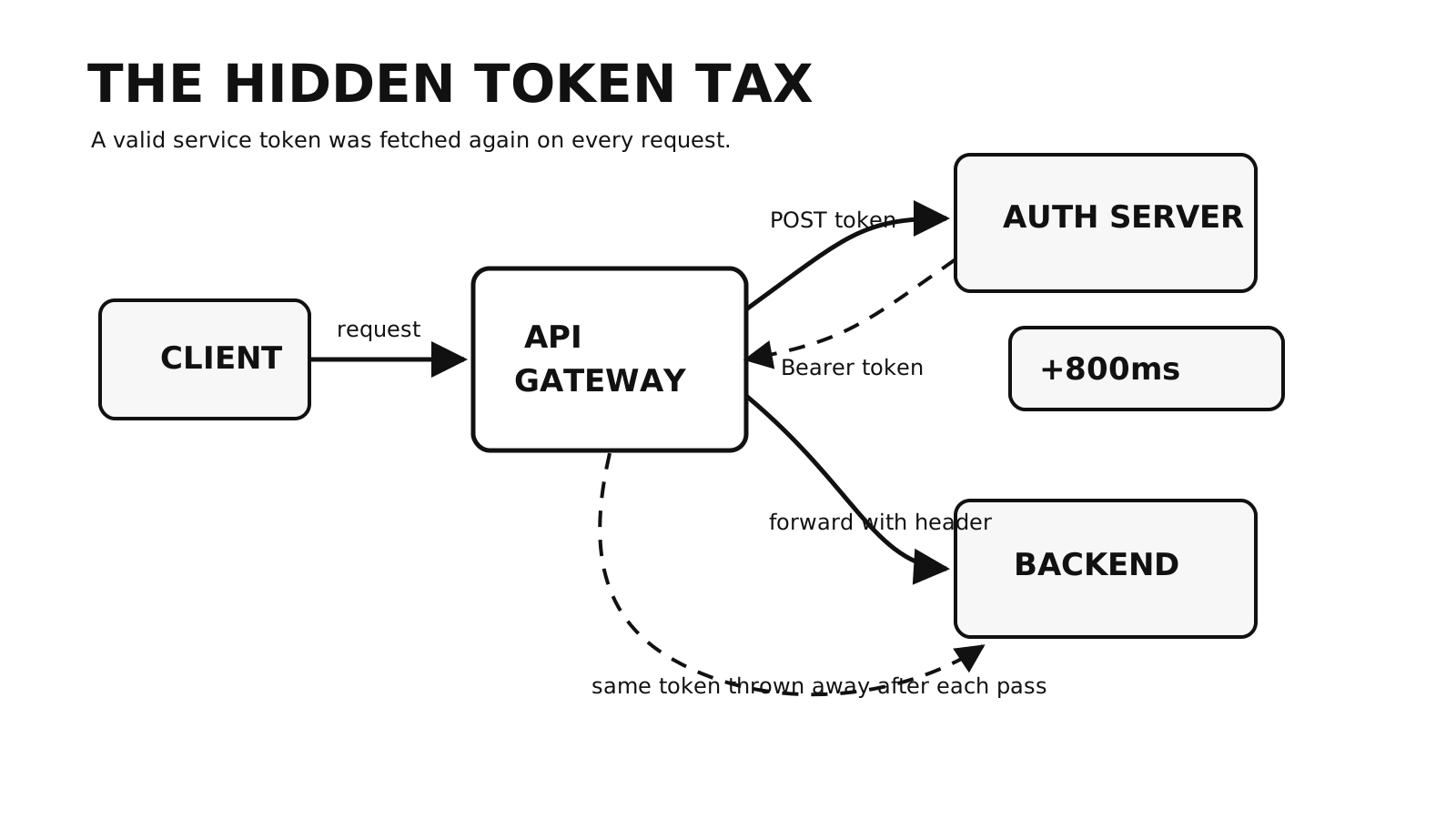
Each request through our business API made an HTTP callout for a service token, even though that token remained valid for hours. Caching it seemed straightforward. The Cache policy available to us, however, cached an upstream HTTP response and returned that response to the caller. It did not load an arbitrary value into a context attribute and continue the same request flow.
That constraint changed the useful question. Instead of asking how to make the response cache behave like a key-value store, I asked:
What if the cached HTTP response were the token response the caller already expected?
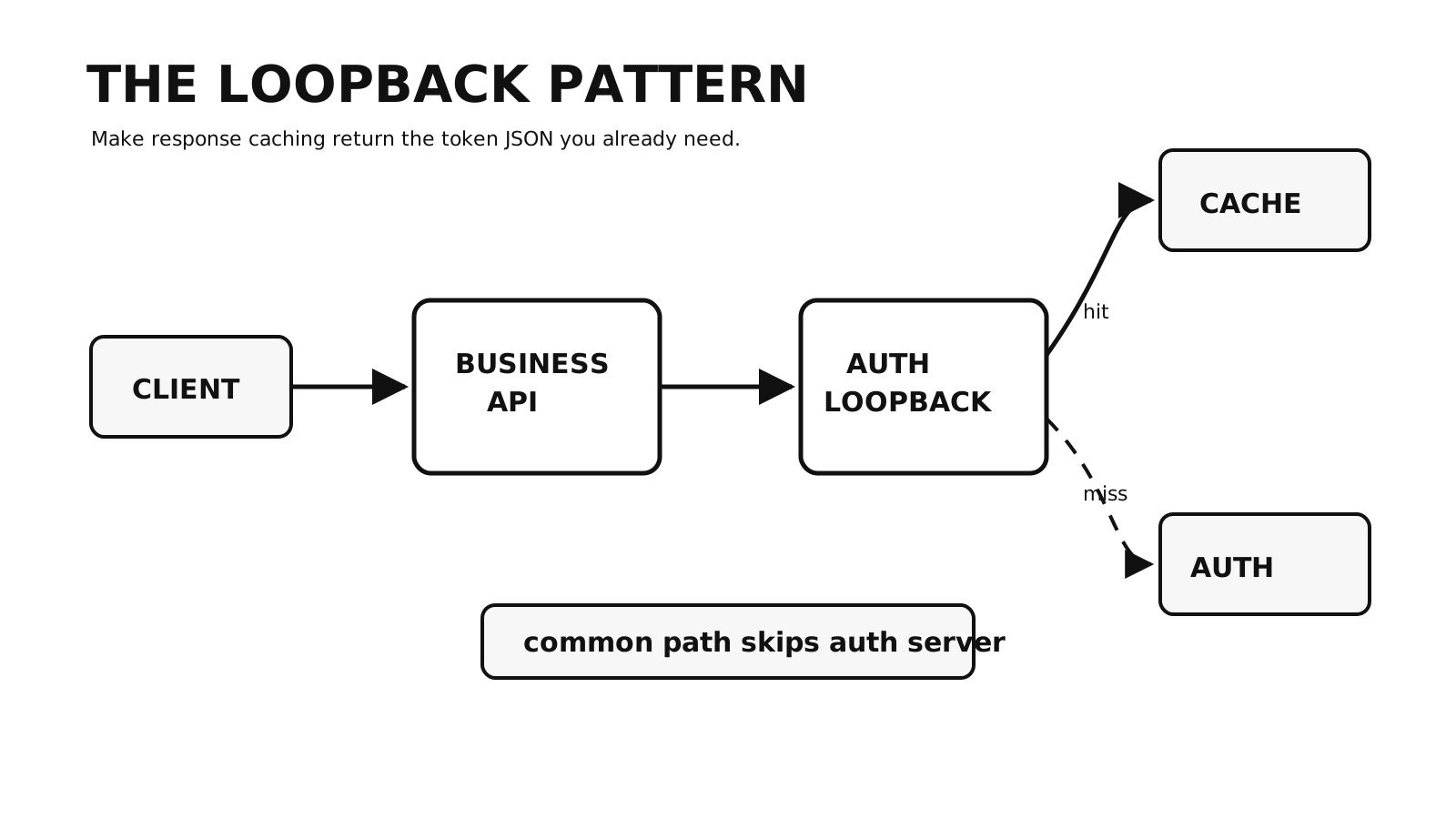
The result was a small internal API between the business API and the authentication server. The internal API returned the authentication response, while Gravitee’s Cache policy stored that full response. I call this the loopback pattern here because one API managed by the gateway calls another API on the same gateway.
The constraint that shaped the design
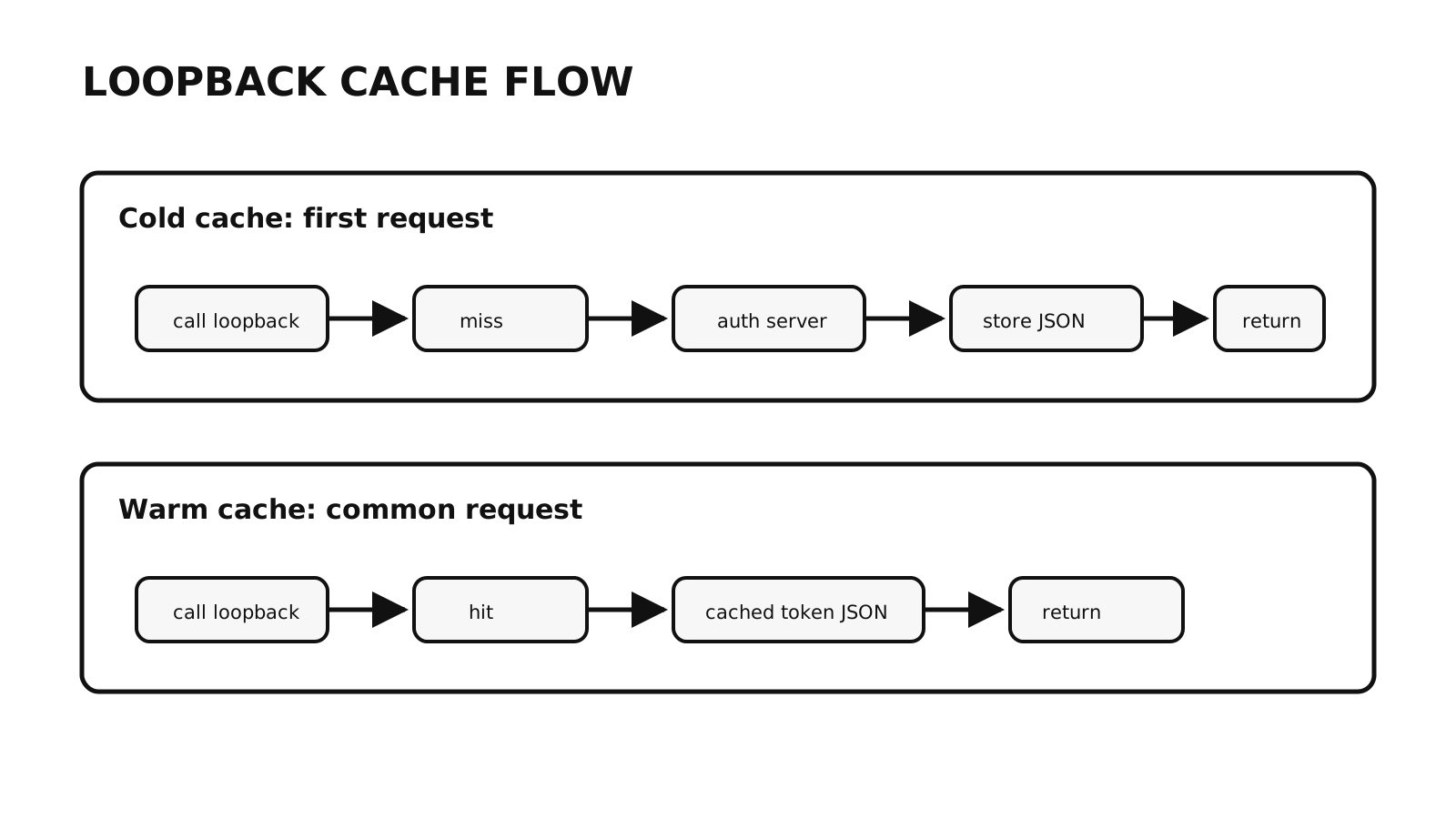
My first design assumed this flow:
read token from cache
  -> put token into a context attribute
  -> continue the business request
The Cache policy behaved differently:
read response from cache
  -> return the cached response to its caller
  -> stop processing that API request
That behavior is appropriate for a response cache. It was only awkward because I was trying to use it as something else.
The authentication server already returned JSON that the business API’s HTTP Callout policy knew how to parse:
{
  "access_token": "<service-token>",
  "token_type": "Bearer",
  "expires_in": 38399
}
So I kept that contract and changed the callout target:
Business API -> HTTP Callout -> Internal token API -> Authentication server
The internal API has one job: return a valid service-token response, from the response cache when possible.
The two-API shape
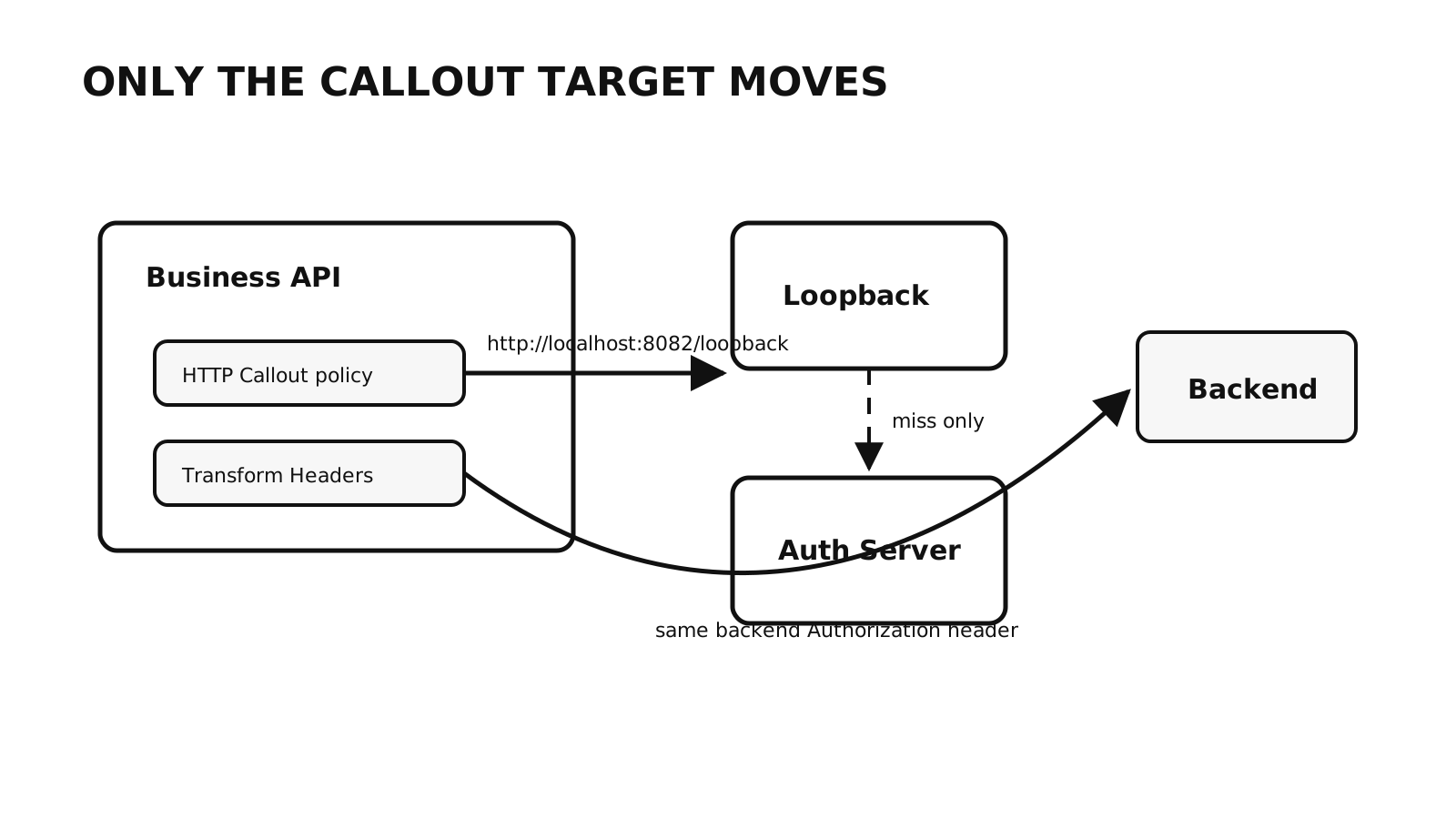
The Business API handles the client request. It calls for a service token, extracts access_token, adds the Authorization header, and sends the request to the backend.
The Internal token API is a proxy in front of the authentication server. Its Cache policy can satisfy a request immediately on a hit or forward a miss to the authentication server and cache the successful response.
The full request path is:
Client
  -> Business API
  -> HTTP Callout to http://localhost:8082/loopback
  -> Internal token API
  -> Cache policy
      -> hit: return cached token response
      -> miss: call authentication server, cache success, return response
  -> Business API extracts access_token
  -> Business API adds the Authorization header
  -> Backend
This preserved the business API’s existing callout contract. It did not, by itself, make the design safe: the cache scope, token lifetime, internal route, and failure behavior still needed deliberate configuration.
Keep the internal API narrow
Our internal API was a transparent proxy with a Cache policy in front of it:
| Setting | Value in this setup |
|---|---|
| API name | Auth Loopback |
| Entrypoint | /loopback |
| Local callout URL | http://localhost:8082/loopback |
| Backend target | the existing service-token endpoint |
| Public exposure | none |
| Main policy | Cache |
It did not need Groovy, response rewriting, or a custom plugin. The authentication server’s response was already the response the caller needed.
localhost is specific to this deployment shape. In a container or multi-node deployment, the hostname and route must resolve back to the intended gateway instance. More importantly, the internal API must not become a public token endpoint merely because it is managed alongside public APIs.
Configure the cache around the credential
Our tokens lasted roughly ten hours, so I used an eight-hour cache TTL. That left a margin before token expiry instead of assuming the cached response and the token would expire at exactly the same instant.
The relevant settings were:
| Cache setting | Value in this setup | Reason |
|---|---|---|
| Time to live | 28800 seconds | Expire the cached response before the roughly ten-hour token. |
| Cache key | service-token-general | All intended callers used the same service credential and permissions. |
| Scope | API | Share one cached response across the intended callers. |
| Methods | include POST | The token endpoint uses POST; it is not in the policy’s default method set. |
| Response condition | successful responses only | Do not retain authentication or server errors. |
These settings are not universal defaults. Gravitee’s Cache policy documentation warns that API scope shares cached data across consumers. That was acceptable only because this API represented one service credential with one permission set.
A static key is wrong if the returned token varies by environment, backend, tenant, credential, audience, or scope. Those inputs need to be separated in the key, for example:
service-token-{environment}-{backend}-{scope}
The same caution applies to TTL. It must be shorter than the minimum token lifetime the authentication server can issue under this flow, not merely shorter than the lifetime seen in one example response.
Point the existing callout at the internal API
Before the change, the Business API called the authentication server directly:
HTTP Callout URL:
http://example.com/authorization-server/token
After the change, it called the internal API:
HTTP Callout URL:
http://localhost:8082/loopback
The request method, body, Content-Type, extraction rule, and header transformation stayed the same. The extraction remained:
access_token = {#jsonPath(#calloutResponse.content, '$.access_token')}
And the backend header remained:
Authorization: Bearer {#context.attributes['access_token']}
This matches Gravitee’s documented HTTP Callout
model: the callout response is available as calloutResponse, and selected values can be placed in request context variables.
What two requests showed
I sent one request through the Business API with a cold cache and then repeated the same request a few seconds later:
Cold-cache TTFB: 1.416641 seconds
Warm-cache TTFB: 0.635187 seconds
The backend logs showed the same access token on both requests, including identical jti and issued-at claims. That result was consistent with the second call using the cached token response.
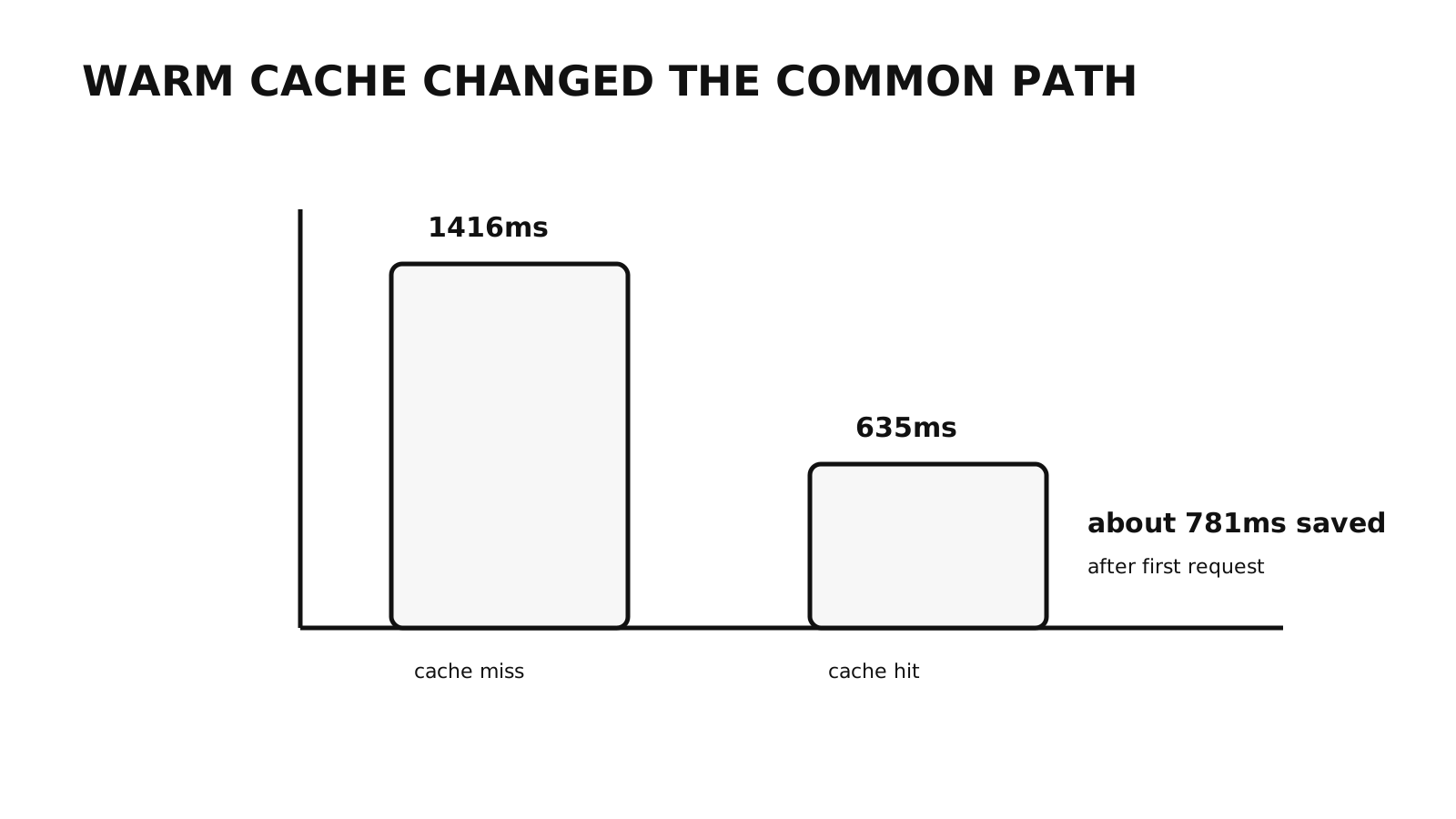
Two requests do not establish a latency distribution, and matching token claims alone do not prove which network calls occurred. For stronger verification, I would also inspect authentication-server request logs or gateway traces and repeat the test across a controlled sample. Here, the pair was enough to check that the configuration behaved as expected before moving on to operational safeguards.
Operational boundaries
The loopback API is small, but it handles credentials and sits on the request path. These are the failure modes I would check before relying on it.
Cache only successful responses
The Cache policy defaults to caching successful 2xx responses. I would still verify the deployed policy version and configuration so 401, 403, 429, and 5xx responses pass through without being retained. Caching an authentication failure extends a short upstream problem to the cache lifetime.
Keep the route private
The internal API returns a usable token response. Restrict it to the gateway process or trusted internal network paths, and check the actual listener and ingress rules rather than treating the word localhost as the control.
Observe both sides of the cache
Logs or traces should let an operator distinguish a cache hit from a call to the authentication server. That makes it possible to spot repeated misses after restarts, unexpected expiry, or authentication failures that never reach the cache.
Account for every gateway node
With a node-local cache, each gateway node warms independently. That may be acceptable, but it means another authentication request after expiry or a node restart. It should be an explicit capacity and failover assumption. A distributed cache changes that behavior and adds its own dependency.
Work with the response boundary
I began by trying to force a response cache to provide hidden state inside another request. The simpler design was to make the cached response a legitimate API response and consume it through the HTTP Callout mechanism already in place.
That did not remove the need to reason about credentials, scope, expiry, routing, and failure. It did give each piece one clear job: the internal API owns the cacheable token response, and the business API consumes that response without knowing how it was obtained.
Series
Gravitee API Caching
- 01 Finding an 800ms Token Callout in a Gravitee API Gateway
- 02 Caching Service Tokens with a Gravitee Loopback API Current note
- 03 Caching Service Tokens in Gravitee with a Loopback API
Software Engineering